Going live with your online store is one of those milestones that feels bigger than it is when you are standing right before it. The good news is that Salesive's built-in checklist and onboarding flow make it nearly impossible to miss something important. Here is a walkthrough of everything worth confirming before you open your storefront doors.
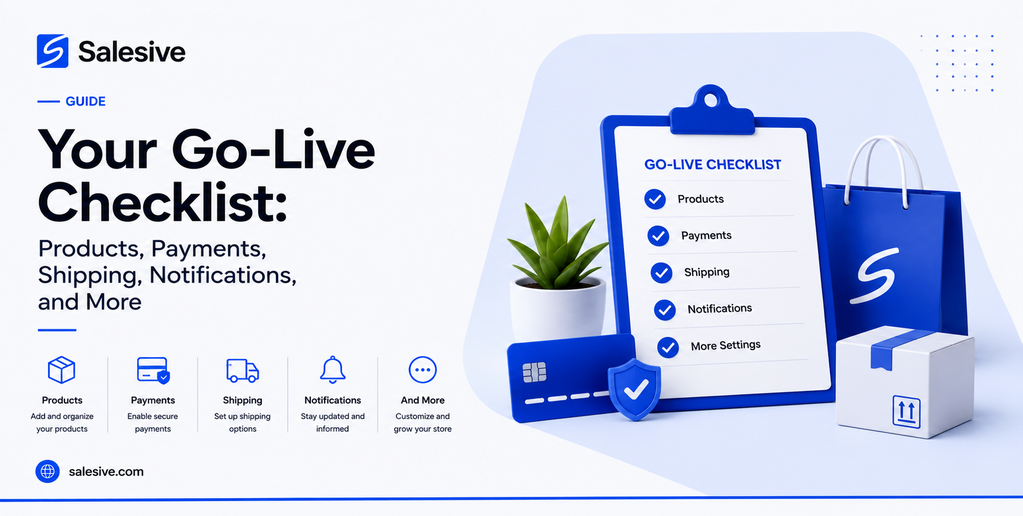
Products: Your Catalogue Has to Be Ready Before Anything Else
Before you go live, spend time on your product listings. Each item should have clear images, a description that actually tells someone why they want it, and correct pricing. Variants like size or colour should be set up so customers can select what they need without messaging you to ask. A store with three well-presented products converts better than one with thirty listings that look unfinished.
If you imported from Instagram, review the imported items carefully. Social media content and product listings serve different purposes. An Instagram post is for attention. A product listing is for decision-making. Fill in the gaps where your captions did not cover the practical details.
Payments: Nobody Buys from a Store They Cannot Pay On
This one is non-negotiable. Before you go live, your payment settings need to be fully configured. That means your payment account is set up, your payout destination is confirmed, and you understand how withdrawals work. Go through a test purchase flow if you can. The last thing you want is to drive traffic to your store and then discover payments are not working as expected.
Salesive's wallet system handles the movement of money within the platform, and the transaction history view gives you a clear record of what has come in and gone out. Get familiar with it before orders start coming in so you are not learning it under pressure.
Shipping: Define Where You Deliver and How Much It Costs
Set up your shipping rules before launch. Salesive lets you configure delivery zones, set shipping costs by location or order value, and connect courier-backed fulfilment options. If you are only delivering within a specific city for now, set that boundary clearly. If you ship nationwide, make sure your rates are realistic and your courier setup is confirmed.
Sellers who skip this step and leave shipping configuration to figure out later end up handling order exceptions manually and losing time they could be spending on growing the business. A few hours spent on shipping rules before launch saves weeks of friction after it.
Notifications: Stay Informed Without Checking Constantly
Salesive's notification settings let you control how and when you are alerted to activity in your store. New orders, payment confirmations, shipping updates, customer messages. Configure these before you go live so you are never caught off guard by something that needed your attention.
For sellers running their store from a mobile device, the PWA install prompt is worth paying attention to. Installing the Salesive app to your home screen gives you fast access to your store dashboard with real-time notifications and offline resilience that a browser tab simply does not give you.
Your Storefront: See What Your Customers Will See
Preview your storefront before you make it live. Look at it the way a first-time visitor would. Is your store name clear? Does the logo look right? Are your product images loading correctly? Is the navigation intuitive? These small visual checks catch issues that are obvious once you see them but invisible when you are still in setup mode.
The sellers who launch with everything in place spend less time firefighting and more time selling. That is the whole point.
Check how your store looks on a mobile screen. The majority of your customers will visit from their phones. A storefront that looks great on a desktop but breaks on mobile is one of the most common and most preventable issues sellers encounter.
Team Access: Is Everyone Who Needs In Actually In
If you are running your store with staff or collaborators, check that everyone who needs access has been invited and has logged in successfully. Assign roles that match what each person actually needs to do. An order fulfilment team member does not need access to payment settings. A customer support rep does not need to edit product listings. Clean permissions from day one prevent confusion and keep your store data secure.
Going live is a milestone worth taking seriously. Not because the setup is complicated but because the discipline of working through a checklist before launch sets the tone for how you will run your store going forward. Sellers who launch with everything in place spend less time firefighting and more time selling.