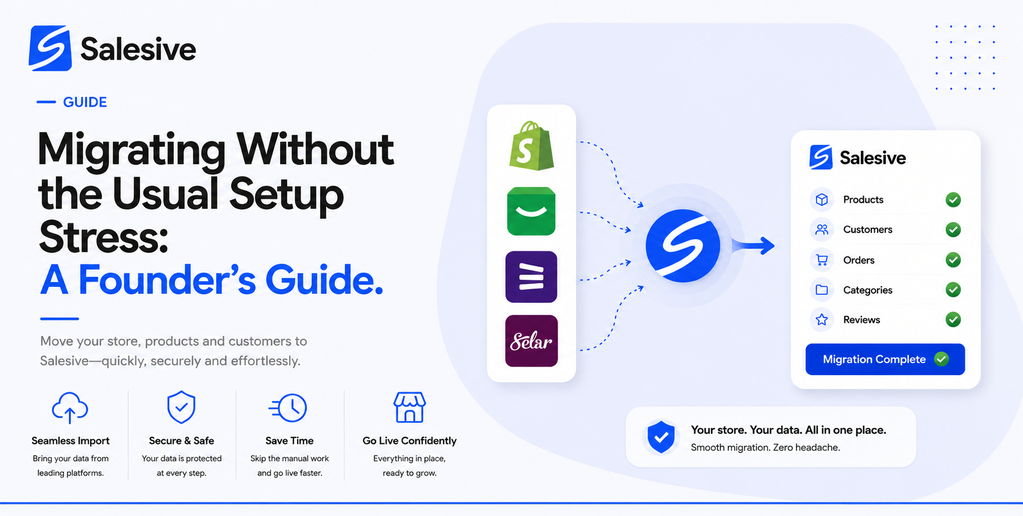
Switching from one commerce platform to another is one of those decisions that feels more complicated than it actually is once you are on the other side of it. If you have been on a platform that was built for someone else's market, priced in a currency that eats into your margin, or simply never felt like it fit the way you work, this guide is for you.
The Decision to Switch
Most founders who migrate to a new platform do not do it on a whim. They do it after months of small frustrations that add up to a clear conclusion: this tool is slowing us down. Maybe the payment setup was always a workaround. Maybe the shipping options never matched your logistics reality. Maybe the mobile experience was an afterthought and most of your customers are on phones.
Whatever drove the decision, the next fear is the migration itself. Lost products, confused customers, broken links, a week of downtime. That fear is understandable and it is also largely avoidable with the right platform and the right sequence.
What Actually Needs to Move
A migration is not as large a task as it often feels. What you are really moving is your product catalogue, your customer records, your payment setup, your domain configuration, and your team access. That is it. The rest of what made your old setup feel complex was probably the platform's friction working against you, not actual complexity in your business.
Salesive's setup flow is designed with new arrivals in mind, including sellers coming from other platforms. The guided wizard walks you through each piece in sequence without assuming you have a technical background or hours of uninterrupted time.
Bringing Your Products Over
Your catalogue is usually the biggest concern during a migration. If you have built up a large product inventory on another platform, the idea of re-entering it all manually is exactly the kind of task that makes people delay the switch.
Salesive's import tools give you a way to bring products in from Instagram and other sources without starting from scratch. For sellers whose product catalogue lives in their Instagram posts, the import flow during setup pulls that content directly. For sellers with a structured catalogue on another platform, the bulk import tools cover the same ground without manual entry for each item.
Your Domain: The Part That Worries People Most
The domain migration question comes up every time. If your customers already know your store by its web address, you do not want to break that when you switch platforms. The good news is that connecting a custom domain on Salesive is a clean process. You update your DNS records to point to Salesive, verify the connection, and your existing domain routes to your new store.
Plan the domain switch for a low-traffic period, a Tuesday morning rather than a Friday evening, and the disruption is minimal.
The DNS propagation period, the window while the internet catches up with your change, usually takes a few hours to a day. During that window your old store can stay live so there is no gap in customer access. Keep your timing low-risk and most visitors will never notice the switch happened.
Team Access After Migration
After you complete setup, Salesive's verification flow confirms your account and gives you full access to your store. If you are bringing in team members as part of the migration, the staff invitation flow lets you set up roles and permissions from day one so everyone lands in the right place.
The role system is worth spending a few minutes on during migration setup. Clear permissions from the start mean your operations team member can manage orders without touching financial settings, and your customer service person can handle enquiries without accidentally editing your product catalogue.
Going Live on the New Platform
The go-live checklist in Salesive is one of the most useful parts of the migration experience. It surfaces everything that needs to be confirmed before you open your store: products, payments, shipping rules, notification settings, and storefront preview. Work through it in order. It is designed to catch the things that are easy to miss when you are managing a lot of moving pieces.
If something is not ready yet, the setup draft saves your progress automatically. You can pause, deal with whatever needs your attention, and come back without losing your place. For a founder managing a migration while also running the day-to-day business, that matters more than it sounds.
What Life Looks Like After
Founders who complete the migration to Salesive consistently describe the same experience once they are settled in. The dashboard is cleaner. The order flow makes sense. The payment and shipping configurations actually match their business reality. The features that used to require workarounds just work.
Migrating to a new commerce platform is one of those decisions that looks harder from the outside than it feels from the other side. The key is having a clear sequence, a platform that was built for your context, and the confidence that the disruption is temporary while the improvement is permanent.